
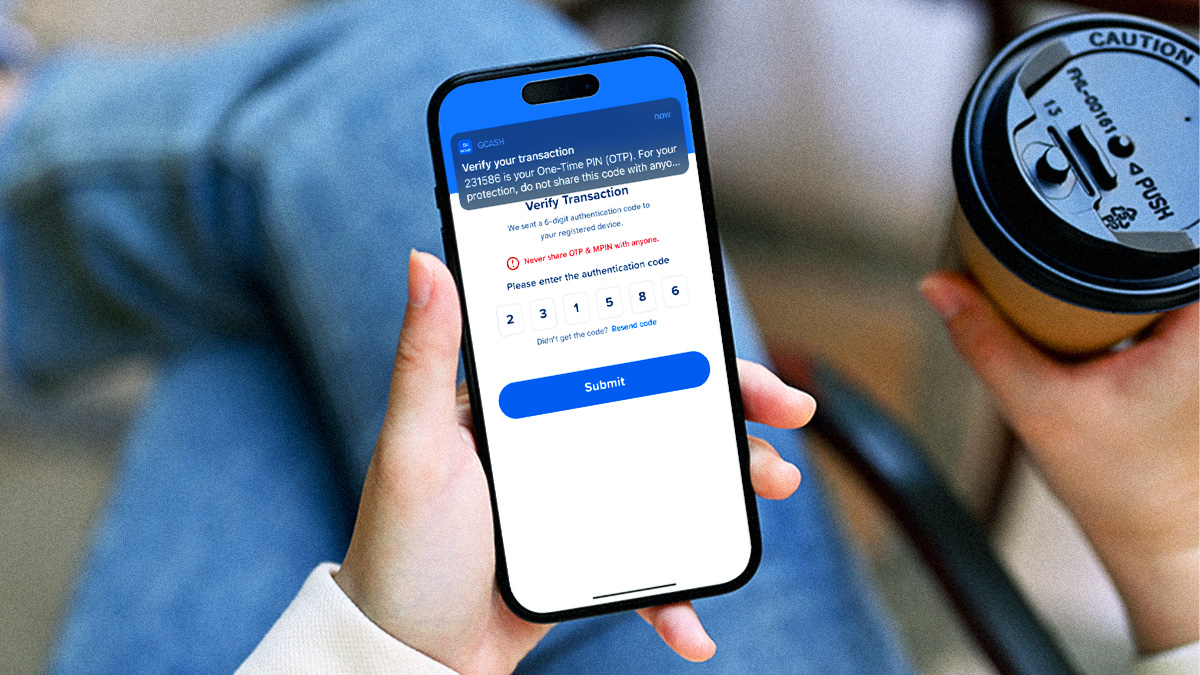

You probably send money more often than you realize, whether it’s for family support, school allowances, small favors, or even your share of the bill from your last hangout with friends.
It’s no wonder that many Filipinos use e-wallets like GCash for their daily transactions. But of course, convenience must also come with great security. It’s your money after all!
That’s why, starting June 22, 2026, GCash is moving One-Time Passwords (OTPs) from SMS to in-app push notifications to keep transactions secure when sending money, shopping online, or making everyday payments.
WHY GCASH OTPS ARE MOVING IN-APP
With verification codes sent directly through the GCash app, this latest security measure will help protect users from smishing, SMS interception, and other forms of fraud associated with text-based OTPs.
This will also help make the verification process convenient and seamless for users, as they can confirm their transactions without switching between apps or waiting for a text message.
HOW TO RECEIVE GCASH OTPS IN-APP
For everyday users, the change is simple: enable your GCash notifications if you haven’t yet.
Here’s how you can start receiving your GCash OTPs in-app:
- Go to your phone settings and tap Notifications.
- Search for GCash on your list of applications.
- Turn on your GCash notifications.
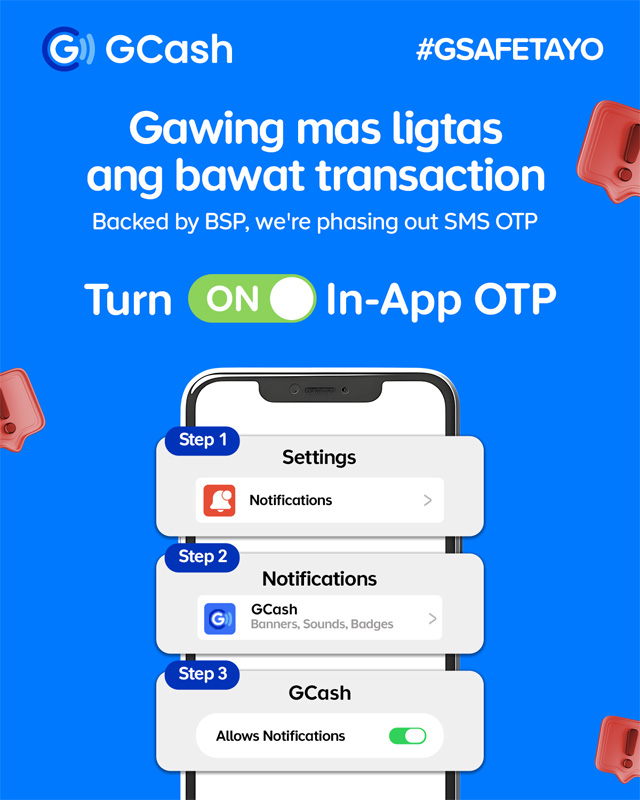
Take note: Keep your GCash push notifications enabled for seamless transactions. When transacting via GCash, simply select ‘Allow Notifications’ when prompted, and your OTP will auto-fill once available. Please be guided that transactions may not push through if your notifications are turned off.
A SIMPLE STEP FOR SECURE TRANSACTIONS
With countless transactions in your day-to-day, this easy step will keep your account secure and make those money moves safe and seamless. Still, users should always keep their accounts secure. Even with OTPs moving in-app, the rule remains the same: never share your OTP with anyone. The same goes for your other personal account details.
So, before your next money transfer, make sure your GCash app notifications are enabled. This way, you can receive OTPs directly in-app and complete your transactions smoothly.
For more information and updates, visit the GCash website and follow the brand on its Facebook and Instagram pages.

Read the story? Tell us what you think!
-
0

 Didn't know that!
 -
0

 Hmmm....tell me more.
 -
0

 How and where can I get this?
 -
0

 I’m already a loyal fan!
 -
0

 Will share this ASAP!