
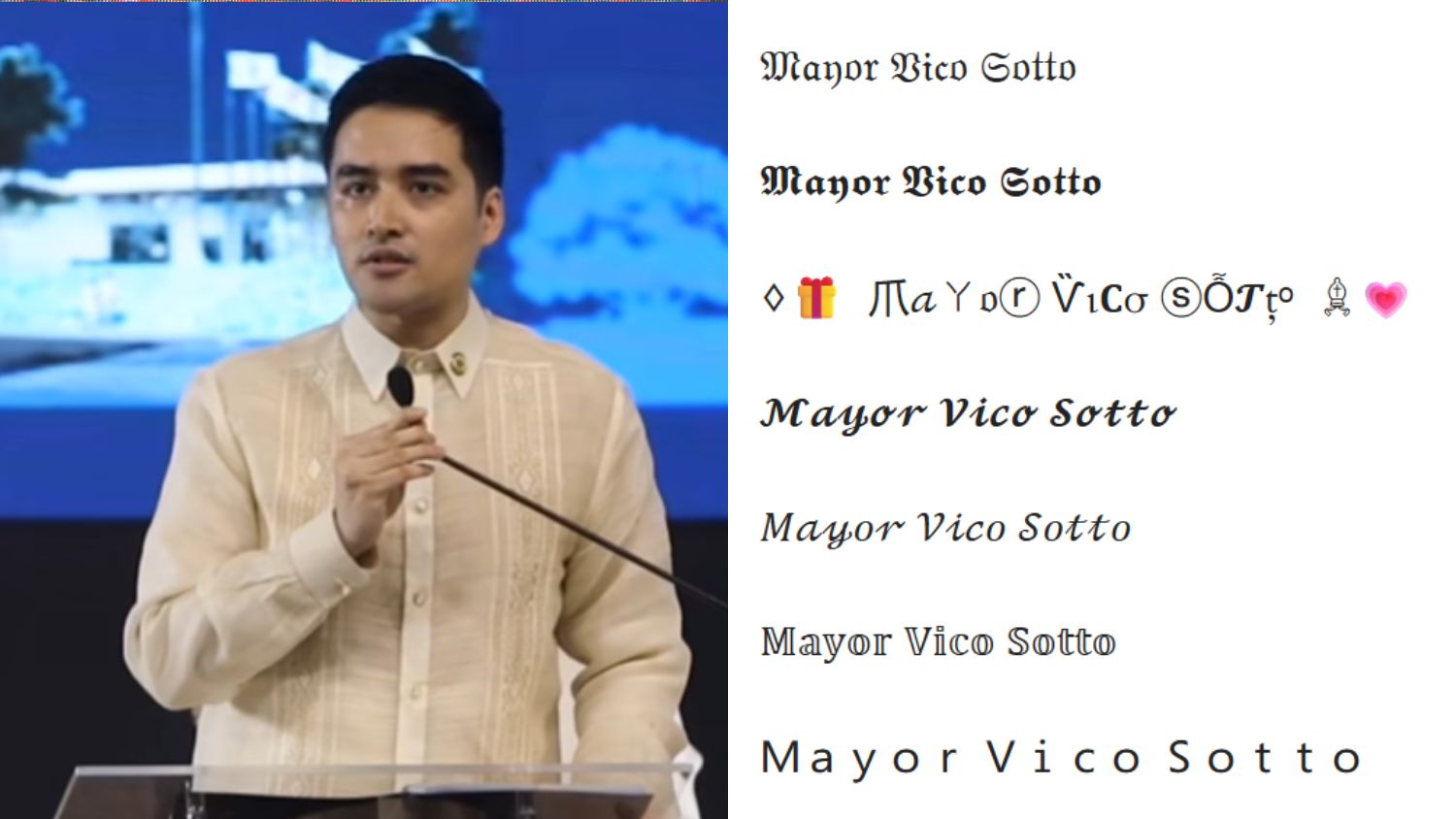


Maraming netizens ang biglang nagkainteres sa pag-generate ng font styles para sa Facebook posts, thanks to Pasig Mayor Vico Sotto.
Nagsimula ang lahat nang mag-post ang Pasig City Public Information Office Facebook page tungkol sa mobile kitchen na gagamitin for emergency use ng Pasig residents.
Napukaw ang atensiyon ni Mayor Vico sa font style na ginamit sa caption.
Aniya sa comments section: “Pano nyo ginagawa yung iba ibang font."


Umani ng maraming responses ang komento ng alkalde. Karamihan dito ay positibo.
Para sa maraming netizens, magandang katangian para sa isang mayor ang magtanong kahit sa simpleng bagay na hindi niya alam.
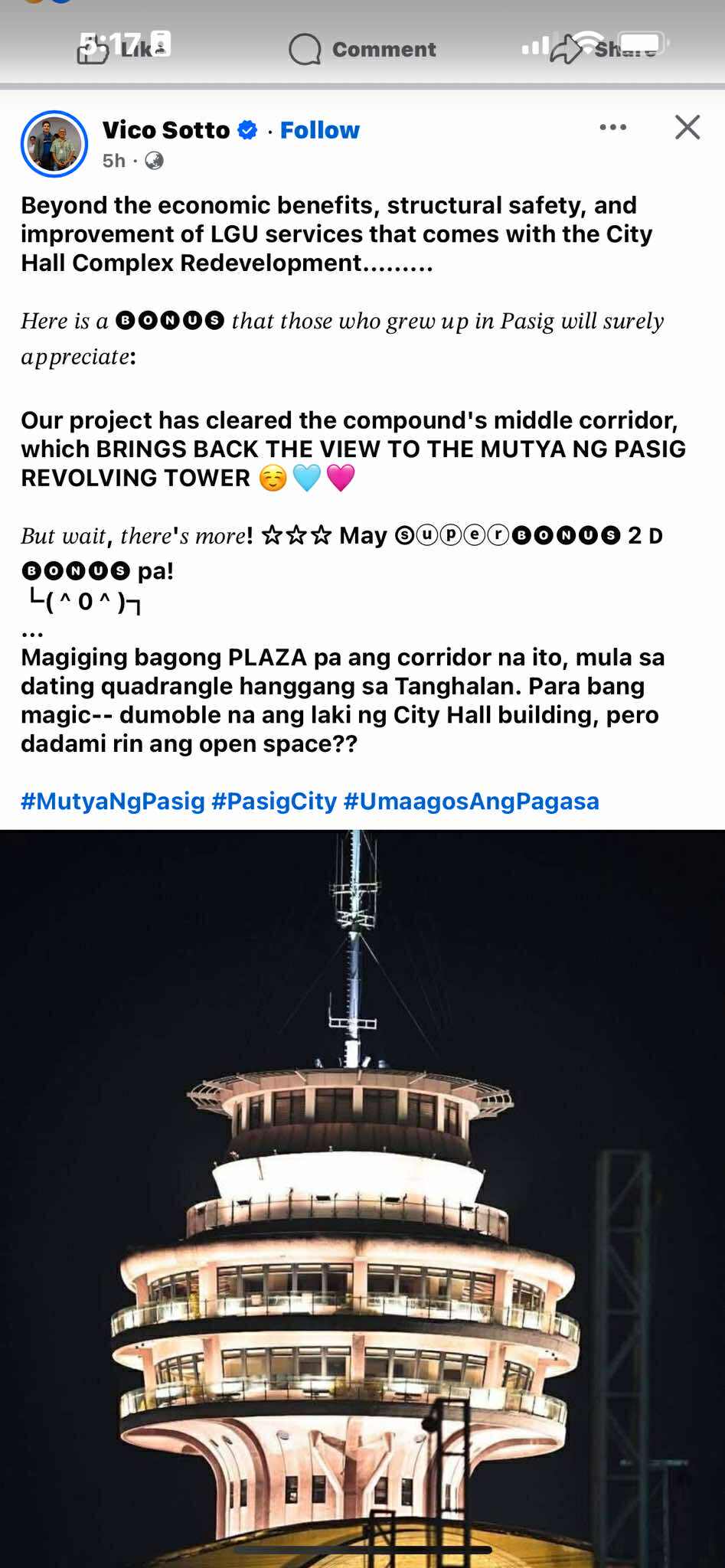
Makalipas ang dalawang araw, nag-flex ang alkalde dahil alam na niyang gumamit ng ibang font style sa Facebook post.
In fairness, mukhang limang klase ang ginamit niya. May mga special characters pa.
Read: Young Pinoy inventor of helmet-cleaning machines, now a millionaire
HOW TO GENERATE FANCY FONTS
Sa mga hindi pa updated at curious sa paggamit ng fancy fonts sa Facebook at iba pang social media apps tulad ng Instagram at X, narito ang isang tutorial.
- Buksan ang Facebook app sa mobile phone.
- Sa Facebook homepage, mag-create ng post. Ito yung “What’s on your mind?”
- I-type ang caption o status.
- I-highlight ang caption at i-copy.
- Magbukas ng browser at mag-search ng font changer o fancy text generators; (Ilan lamang sa mga sites ay ang LingoJam, Quicktools, Creative Fabrica, loremipsum.io, Namecheap, at Flyerwiz.)
- I-paste ang text sa input box at mamili mula sa fonts. Puwede rin namang diretsong i-type sa input box ang message.
- I-copy ang text with chosen font design at i-paste ito sa ginagawang Facebook caption, post, bio, at maging sa comment.
Hindi naman essential life skill ito na kailangang matutunan.
Pero sa panahon na halos lahat ay nasa social media, hindi masamang matuto ng isang bagay na mai-improve ang aesthetic at maging social-media experience ng netizens.
Read: "Triangle of life" and "drop-cover-hold": Do they ensure safety during earthquake?